
QUBIC BLOG POST
Doge Hashing on Qubic Explained: How to Set Up Your Scrypt ASIC, Join a DOGE Pool, and Track Hashing Stats
Written by

The Qubic Team
Published:
Listen to this blog post
On April 1, 2026, Qubic launched Dogecoin mining on mainnet. Scrypt ASIC miners can now plug into the Qubic network and earn rewards, while CPUs and GPUs continue training Aigarth, Qubic's AI initiative. Two hardware classes, two workloads, zero conflict.
The network is currently in Phase 1: Active Mainnet Testing. The full pipeline is live, shares are being validated through Qubic's decentralized Oracle Machines, and Dogecoin blocks are being found.
This guide covers everything you need to get started mining DOGE on Qubic: how to connect your ASIC miner to a Qubic DOGE pool, and how to read the mining dashboards to track your hashrate, shares, and performance.
How to Start Mining Dogecoin on Qubic with a Scrypt ASIC
Step 1: Create a Qubic Wallet
You need a Qubic address as your miner identity. Create one using any official Qubic wallet.
Step 2: Choose a Dogecoin Mining Pool
Four pools currently connect to the Qubic DOGE mining network. Pick one and note the connection details:
Pool | Stratum Address | Username | Guide |
QLI |
|
| |
apool |
| apool subaccount | |
Minerlab |
|
| |
Jetski Pool |
|
|
Step 3: Configure Your ASIC Miner
Log into your miner's web interface. Enter the stratum URL, username, and password (varies by pool; check each pool's setup guide for details). Save settings and restart the miner.
Step 4: Verify Your Connection
Verify your worker is active and submitting shares on your chosen pool's dashboard (apool, Minerlab, QLI, or Jetski). Note that doge-stats.qubic.org shows network-wide aggregate stats, so an individual miner's hashrate won't be visibly reflected there.
Compatible Scrypt ASIC hardware: Antminer L3+, Antminer L7, Antminer L9, Goldshell Mini-DOGE Pro, or any Scrypt-compatible ASIC. DOGE mining on Qubic is currently feeless (0% pool fee during launch phase).
ASIC Miner Optimization Tips
Ethernet only. Wired connections reduce latency and stale shares.
Update firmware before connecting.
Monitor temperatures. Overheating causes throttling and rejected shares.
Unique worker names per rig to avoid conflicts on pool dashboards.
Set starting difficulty on QLI via password field (e.g.,
d=1530000) to match your hashrate.
Common Issue | Fix |
Miner not showing on dashboard | Double-check stratum URL and username format |
High stale rate | Use Ethernet; choose a geographically closer stratum server |
Frequent disconnections | Update firmware; check router stability |
For a full technical breakdown of the mining architecture, read Dogecoin Mining on Qubic: How It Works.
How Qubic DOGE Mining Rewards Work
Miners earn $QUBIC, not DOGE directly. The reward flow: your ASIC mines DOGE → mined DOGE converts to stablecoins → stablecoins buy back $QUBIC on the open market → $QUBIC distributes to participants. Surplus gets burned, contributing to Qubic's deflationary tokenomics. Starting in Phase 2, the buyback mechanism tops up rewards to approximately 110% of standard solo DOGE mining returns, which is the core incentive for Scrypt ASIC operators to join the Qubic network. During the current Phase 1, top-ups are not yet applied; miners earn QUBIC funded by pool reserves. For more on the buyback mechanism, see the 3-Phase Transition Plan blog.
Available DOGE Mining Trackers and Dashboards
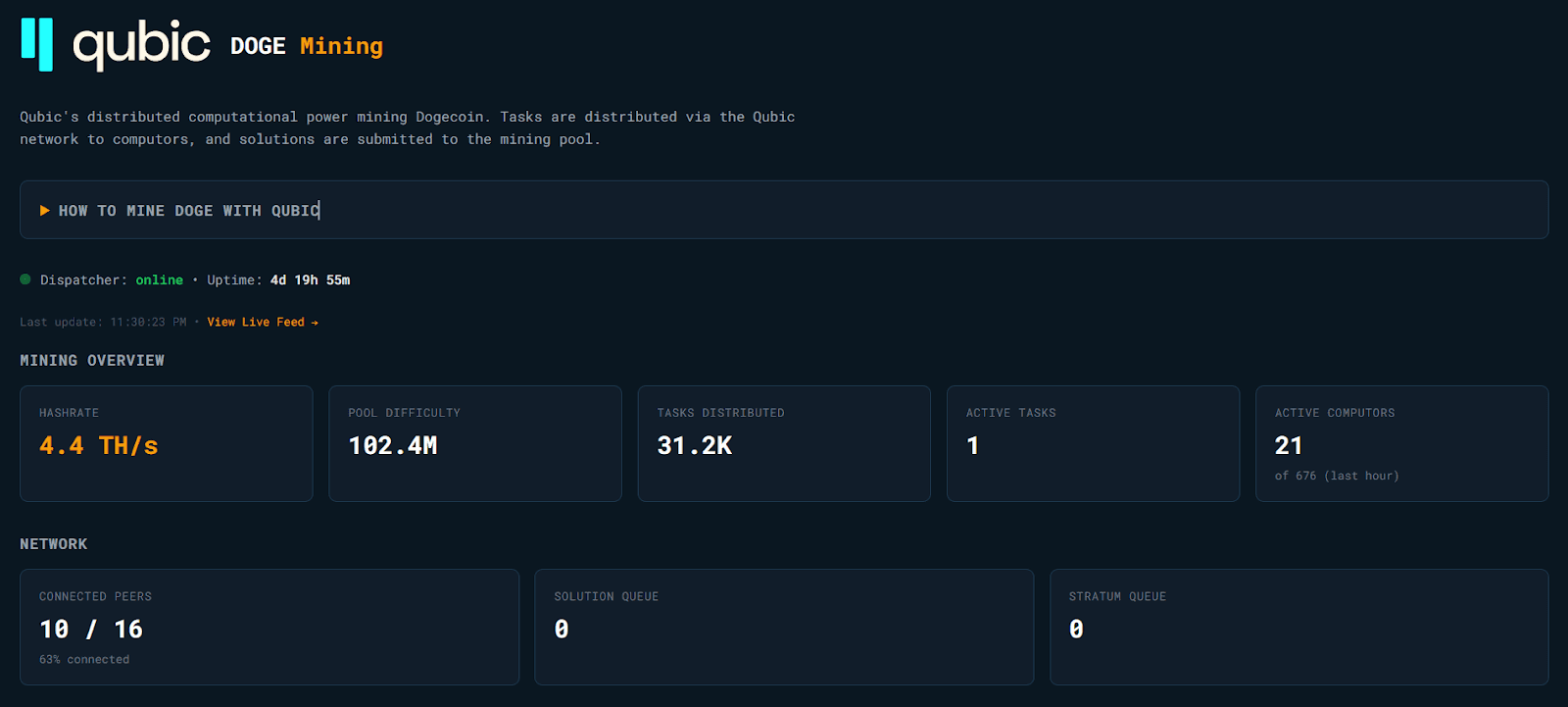
Official Qubic DOGE Mining Stats — doge-stats.qubic.org The primary network-level dashboard. Shows aggregate Dogecoin mining stats across all connected pools: hashrate, shares, pool difficulty, dispatcher status, solo pool blocks, and more. Includes a Live Feed for real-time mining events.
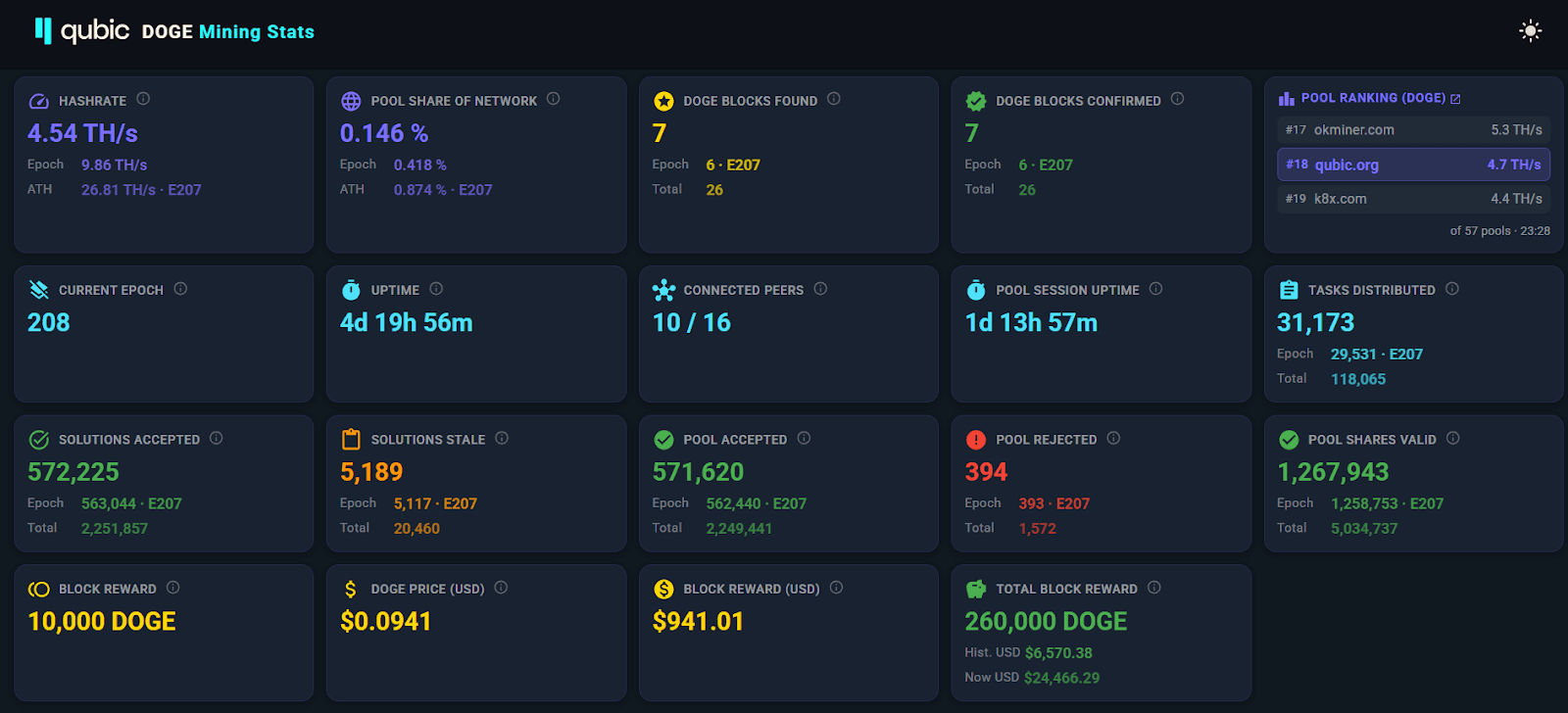
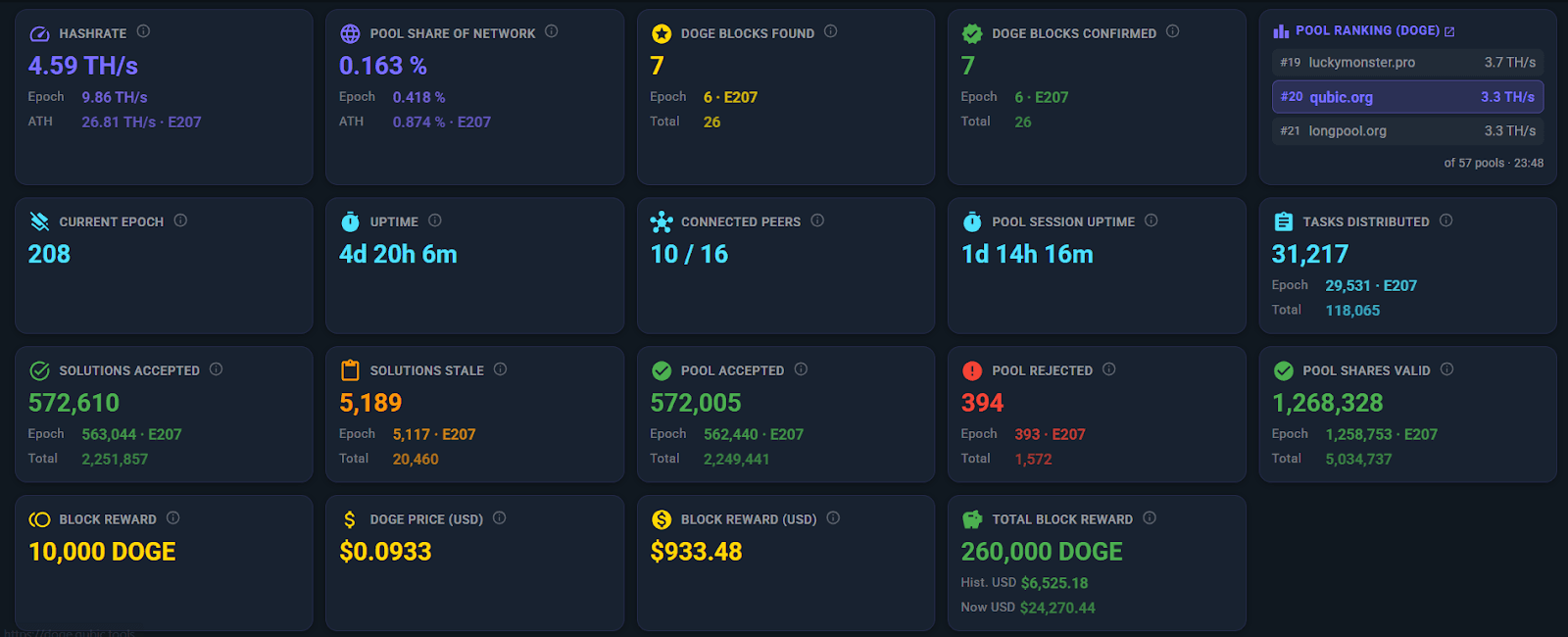
Qubic.tools DOGE Mining Tracker — doge.qubic.tools A community-built tracker (currently in beta, sponsored by AndyQus) that provides additional context including Qubic's pool share of the global Dogecoin network hashrate, DOGE block rewards in USD, pool ranking among all Dogecoin pools, and historical charts for hashrate, solutions, and pool shares per epoch. Data is retrieved from the public RPC endpoint and doge-stats.qubic.org.
Pool-Specific Dashboards (for individual miner stats):
apool — doge.apool.io/myMiner
Minerlab — qubic.minerlab.io
QLI (qubic.li) — platform.qubic.li
Jetski Pool — qubic.jetskipool.ai/doge-tracker
The official tracker shows the network-wide picture. Pool dashboards show your individual worker performance. This guide mainly focuses on the official tracker at doge-stats.qubic.org and partly on the community tracker at doge.qubic.tools.
Qubic DOGE Mining Dashboard Metrics Explained
Dispatcher Status and Uptime
The Dispatcher is the bridge between the Qubic network and the Dogecoin mining network. It receives Stratum jobs, translates them into Qubic-compatible tasks, distributes them to computors, and routes solutions back.
Why it matters: If the Dispatcher is offline, no mining tasks flow and no shares get submitted. Look for "online" status and stable uptime (see screenshot below for a healthy Dispatcher reading).

Hashrate
The combined Scrypt hashing power across all ASIC miners connected to Qubic's DOGE pools.
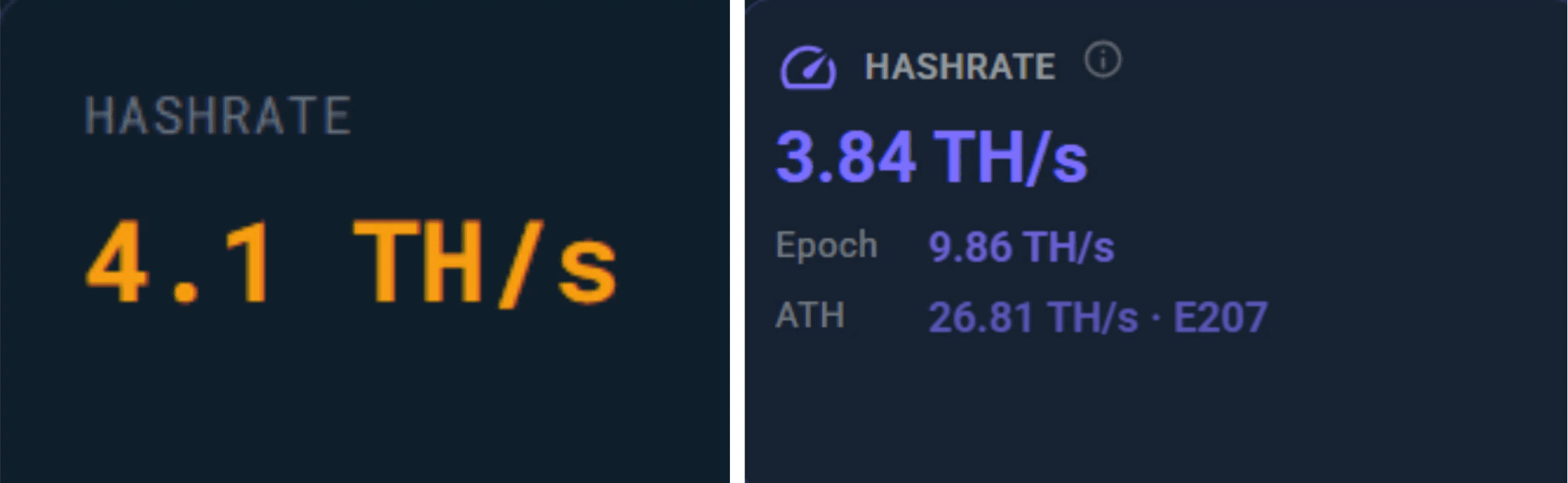
Why it matters: Higher hashrate means more shares submitted and better chances of finding Dogecoin blocks. Note that the official tracker and qubic.tools may show slightly different values due to measurement timing and averaging methods.
How to interpret: Watch for growth trends over days, not minutes. Sudden drops may signal miner disconnections or network issues.
Pool Difficulty
The difficulty threshold set at the Qubic network level for valid share submissions (see screenshot below). This is separate from the difficulty your individual pool sets between itself and your miner (some pools use variable difficulty). On the Qubic network level, difficulty will increase as overall hashrate grows, and starting from Phase 3, it will be fixed per epoch.
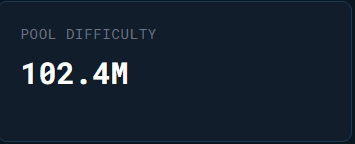
Why it matters: Pool difficulty determines how hard each share is to find. The pool auto-adjusts this based on connected hashrate so shares arrive at a steady rate. Higher difficulty = fewer but weightier shares. Lower difficulty = more frequent but lighter shares. Your mining earnings are proportional to total work contributed either way.
Tip: On the QLI pool, you can set a starting difficulty via the password field (e.g., d=1530000).
Tasks Distributed
The total number of mining jobs the Dispatcher has broadcast to the Qubic network (see screenshot below). The qubic.tools tracker also shows epoch-level and cumulative totals.
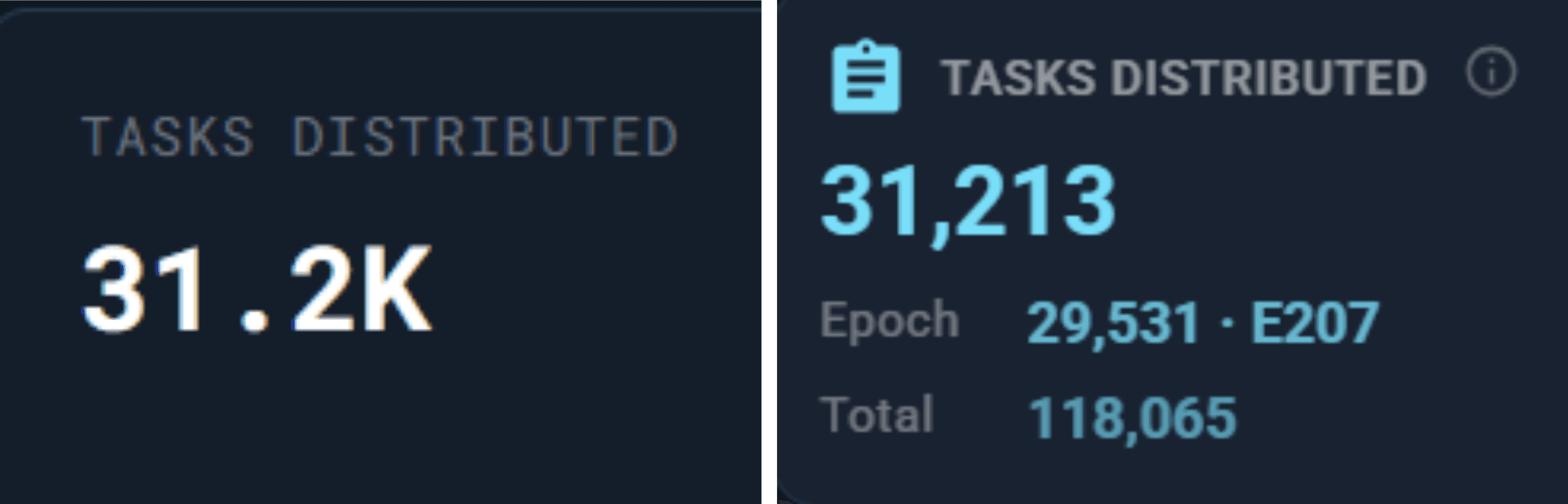
Why it matters: A steadily increasing count means the pipeline between the Doge pool and Qubic network is healthy. If it flatlines, something is stalled.
Active Tasks and Active Computors
Active Tasks shows how many Dogecoin mining jobs are in progress right now. Active Computors shows how many Qubic computors (out of a maximum 676) participated in DOGE mining in the last hour.
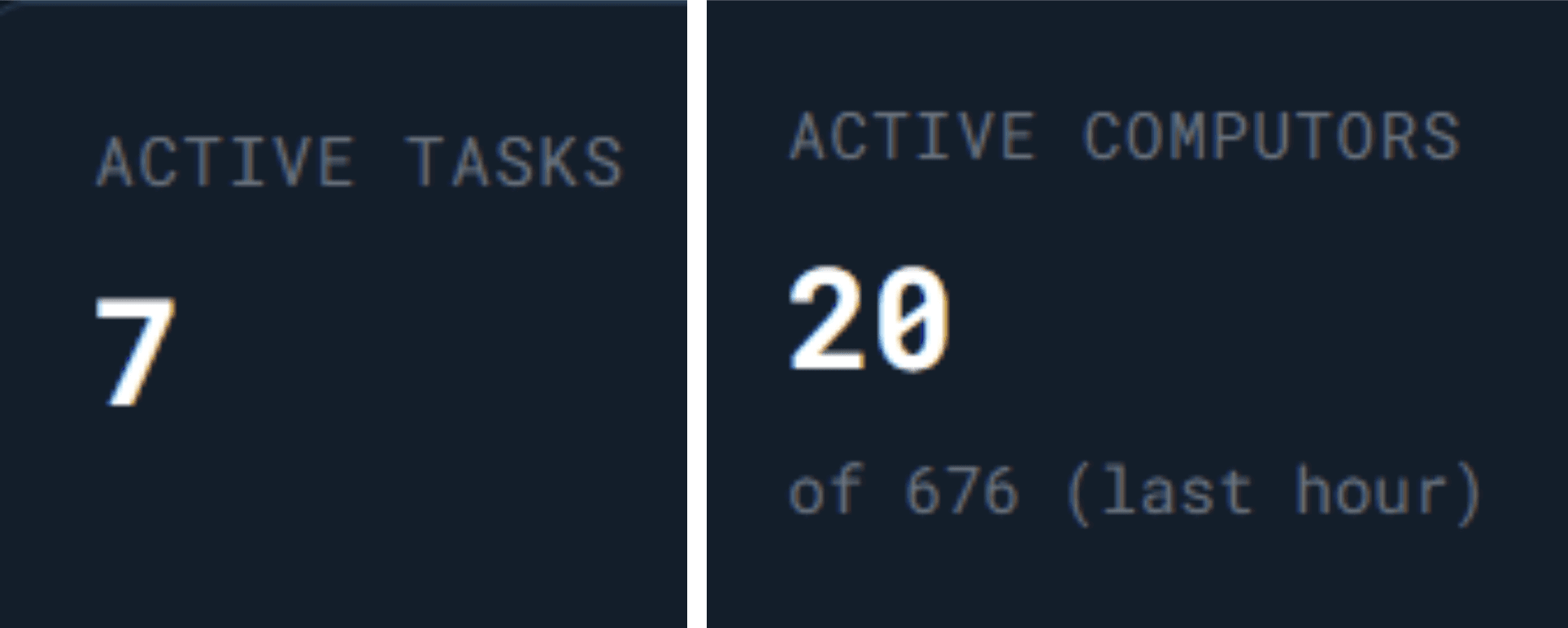
Why it matters: These give you a real-time pulse of network participation. Many computors with few active tasks is normal since tasks cycle quickly.
Connected Peers
The number of Qubic nodes communicating with the Dispatcher (see screenshot below).
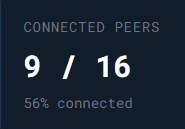
Why it matters: More connected peers means better task distribution and faster solution relay. Should stay relatively stable during normal operation.
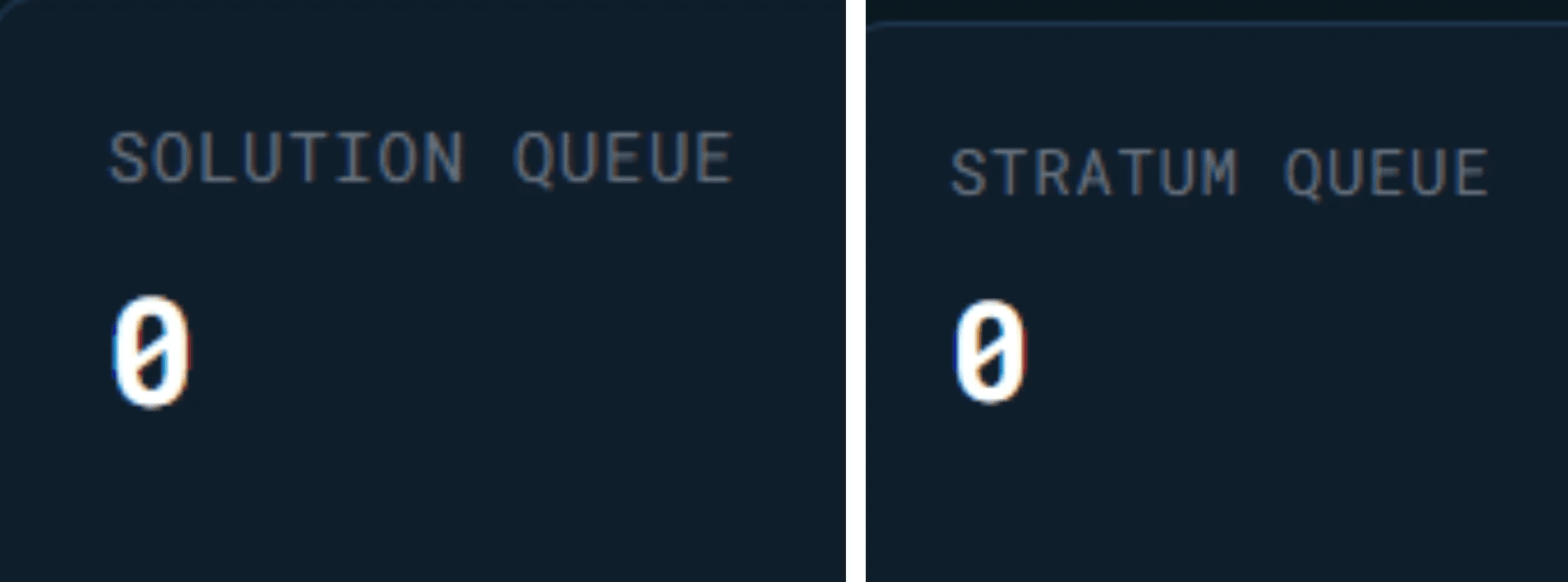
Solution Queue and Stratum Queue
Solution Queue: Mining solutions queued internally within the Dispatcher, waiting to be processed and forwarded. This is a Dispatcher-level queue, not the Oracle validation stage. Stratum Queue: Share submissions waiting to be sent to the upstream Dogecoin mining pool.
Why it matters: Both should stay at zero or near-zero. A growing Solution Queue means validation is bottlenecked. A growing Stratum Queue means shares may go stale before reaching the pool.
Dispatcher Solutions
A breakdown of all mining solutions flowing through the Dispatcher (see screenshot below):
Received: Total solutions collected from the network
Accepted: Valid solutions that met the difficulty threshold
Rejected: Solutions that failed validation
Stale: Solutions that arrived after the mining job expired
How to interpret: A near-zero rejection rate is excellent. Stale solutions represent latency-related waste. The stale rate shown here is at the Qubic network level (between the Dispatcher and the Qubic network), not at the miner-to-pool level. Stale solutions occur when work arrives at the Dispatcher after the job has already been replaced. This is distinct from stale shares between your ASIC and your pool, which you can reduce by using Ethernet and choosing a geographically close stratum server.

Pool Shares and Acceptance Rate
Shares forwarded from the Dispatcher to the Dogecoin mining pool (see screenshot below):
Submitted / Accepted / Rejected counts
Acceptance Rate (percentage of submitted shares the pool accepted)
Why it matters: Acceptance rate is the key mining efficiency metric. Above 95% is healthy. A declining rate warrants checking difficulty settings or pool connectivity.

Solo Pool: Dogecoin Block Discovery
Qubic mines Dogecoin exclusively in solo mode, meaning the network finds blocks directly rather than contributing shares to an external pool. This section tracks that block discovery activity (see screenshot below):
Blocks Found: Total Dogecoin blocks discovered by the Qubic network, with confirmation status
Last Block: The most recent block number and when it was found
Pool Shares: Total shares processed internally, with invalid count (invalid shares can result from multiple causes including threshold misses, stale submissions, or incorrect hashes)
Share Rate: Shares per minute, indicating real-time mining throughput
Invalid Rate: Percentage of shares that were invalid for any reason
Why it matters: Each block found earns the full Dogecoin block reward (10,000 DOGE). The Recent Blocks log lets you track how frequently the network is discovering blocks, which correlates with hashrate growth over time.

Note: Qubic mines DOGE in solo mode. The "Pool Shares" metrics in other dashboard sections refer to the internal share-tracking system between miners, pools, the Dispatcher, and the Qubic network, not to an external Dogecoin mining pool.
Qubic.tools: Additional Dogecoin Mining Metrics
The community tracker at doge.qubic.tools surfaces several metrics in addition to the ones on the official dashboard:
Pool Share of Network: Qubic's share of global Dogecoin hashrate, with all-time high tracking
Pool Ranking (DOGE): Where qubic.org ranks among all Dogecoin mining pools worldwide
Block Reward: Current DOGE block reward and its USD equivalent
Total Block Reward: Cumulative DOGE mined across all epochs, with historical and current USD value
Epoch-level charts: Hashrate trends, solutions per epoch, and pool shares per epoch with accepted/rejected/stale breakdowns
Conclusion
The Qubic DOGE Mining dashboards give you full visibility into network performance. Every metric, from hashrate to acceptance rate to blocks found, is transparent and on-chain verifiable.
With confirmed Dogecoin blocks found, a high acceptance rate, and growing hashrate, Phase 1 is demonstrating that the architecture works. Whether you're running a single Antminer L3+ or a rack of L9s, the data is there. Connect your Scrypt ASIC, read the stats, and mine smarter.
Resources: Official DOGE Mining Dashboard · Community Tracker · Live Feed · Connect Your ASIC · How Qubic DOGE Mining Works · 3-Phase Transition Plan · DOGE Mining AMA Recap · Discord · GitHub